
How do I check if a worker is compliant?
Achieving Compliance:
To be compliant, both the worker and the company must fulfill all of the client's requirements.
To check a worker's compliance status, please follow these steps:
- Navigate to the MY TEAM > WORKERS section of your contractor account.
- Find the specific worker. Use the filters at the top of the list to find the worker quickly.
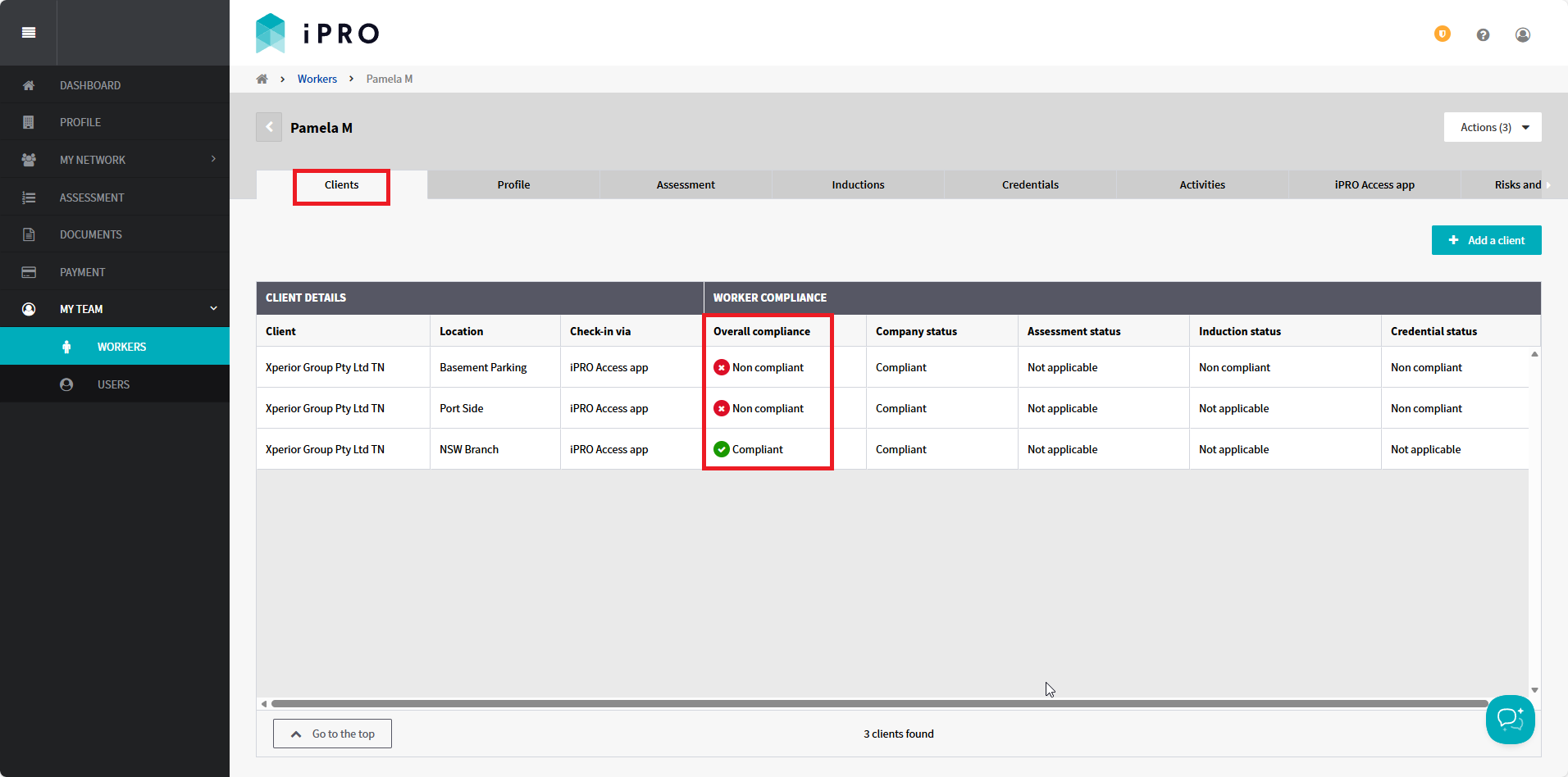
- Click on the worker's record. Their Client Details and Worker Compliance will be shown under the Clients tab.
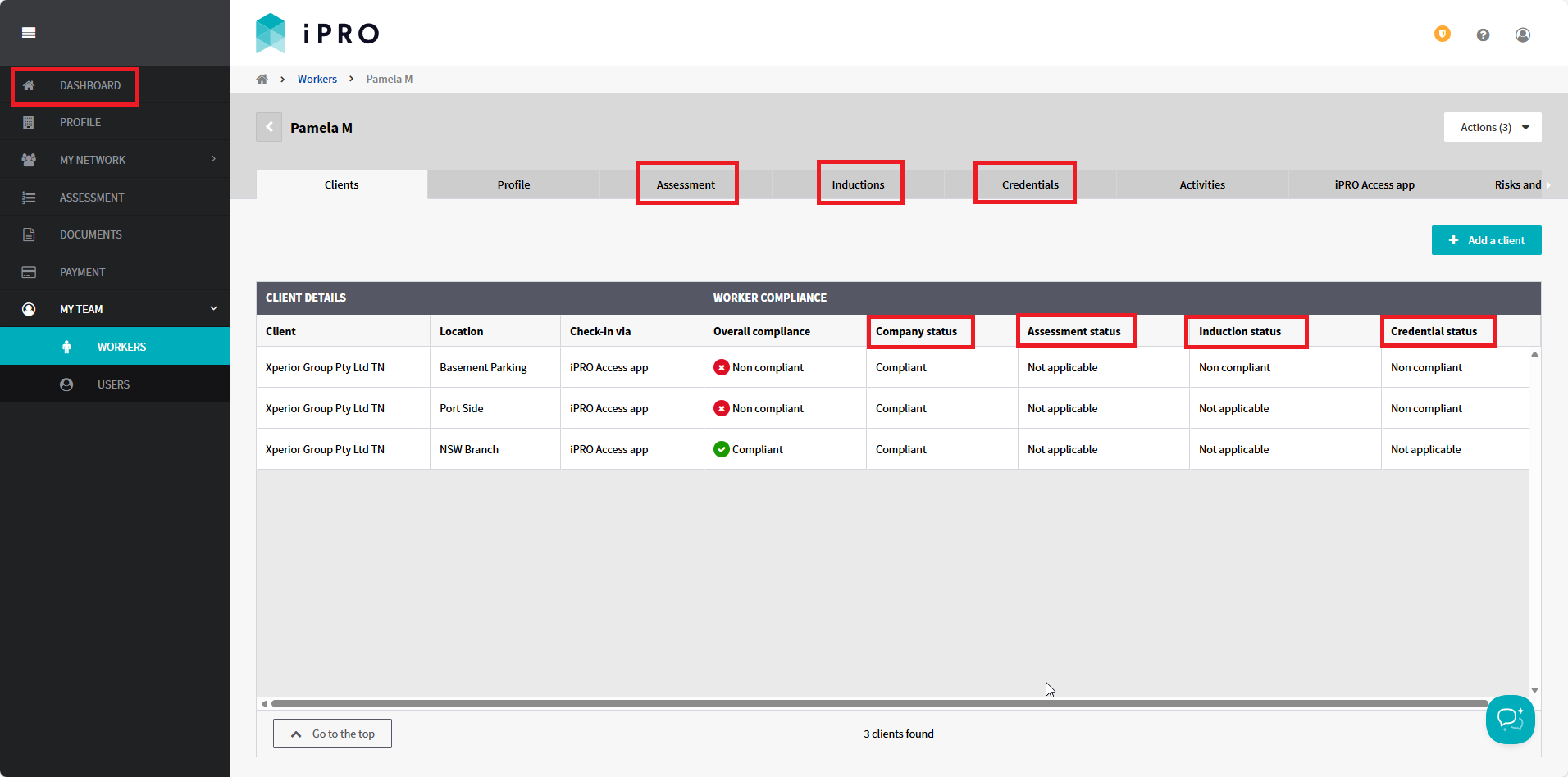
- View the status in the 'Overall compliance' column. This status is determined by the combined results of the 'Company status', 'Assessment status', 'Induction status', and 'Credential status'.
Compliance Status Definitions:
- Compliant: All tasks are complete. If applicable, the worker may check-in successfully at the client's location.
- Non compliant: One or more tasks are outstanding. This status is reflected in one or more of the requirements: 'Company status', 'Assessment status', 'Induction status', and/or 'Credential status', indicating the following:
- Company tasks: Outstanding company level tasks are visible on the dashboard and must be completed by a User registered on the company account.
- Worker tasks: The worker must complete specific assessment, induction and/or credential requirements. To view these in detail, click the corresponding tab above the table, or click the row for the specific client and location.
Related articles:
- Managing a Worker's Client Connections
- Completing a Worker Assessment
- Sending an Induction to a Worker
- Uploading Worker Credentials
- Understanding the Worker's Invitation and Compliance Status