
Viewing a Worker's Credential
This article is intended to help clients view the credentials of their contractors' workers.
Quick Tips:
- A credential can be viewed from the Workers menu or from the Companies menu.
- A credential may be required to be uploaded based on the client's specific compliance requirements. This requirement may also be determined by the responses provided in the worker assessment.
Quick Navigation:
Log in > My network > Workers > Worker Credentials > Use the filters to find the credential and click to view
or
Log in > My network > All companies > Company name > Workers > Worker name > Credentials > Click on a credential
Viewing a Worker's Credential from the Workers menu
- Click My network, then click Workers > Worker Credentials. A list of all your contractors' worker credentials will appear.
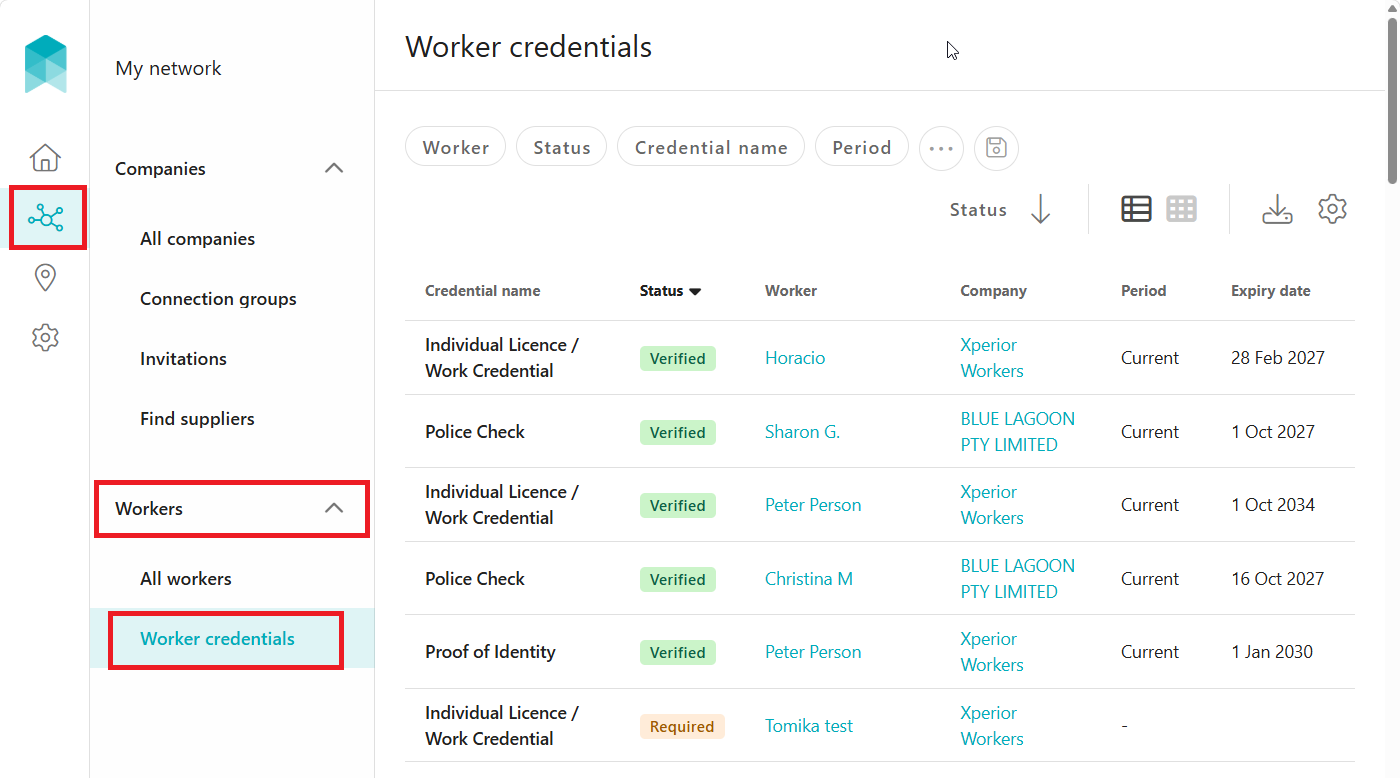
- Find and click on the specific credential you wish to view. You will be directed to to the uploaded file and its details.
Tip: Use the filters at the top of the list to find the credential quickly.
Viewing a Worker's Credential from the Companies menu
- Click My network, then click the company that has registered the worker.
Tip: Use the filters at the top of the list to find the company quickly. - Click Workers. The company's workers linked with your account will be listed.
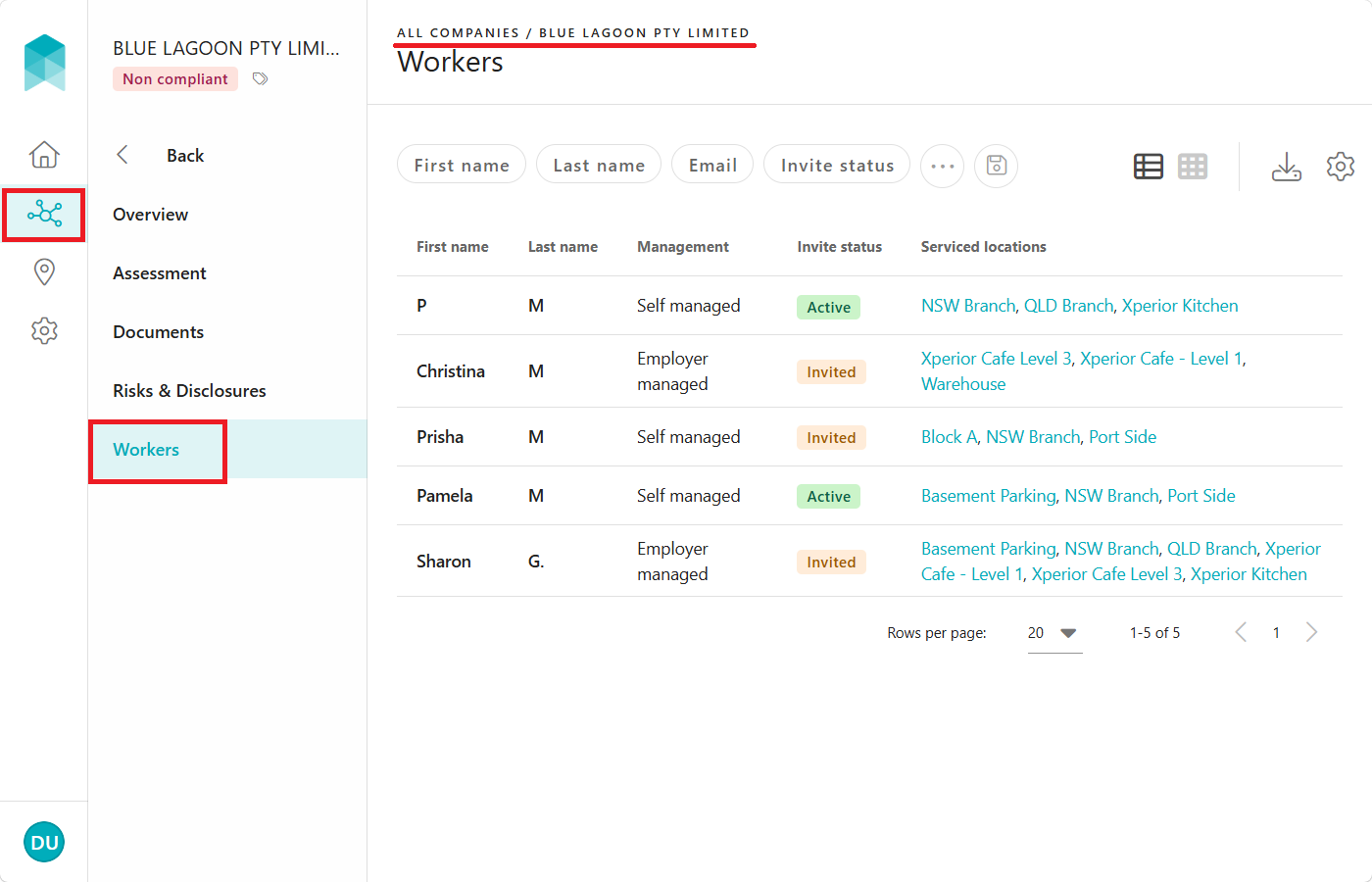
- Click the worker's record. Their Profile page will appear.
Tip: Use the filters at the top of the list to find the worker quickly.
-
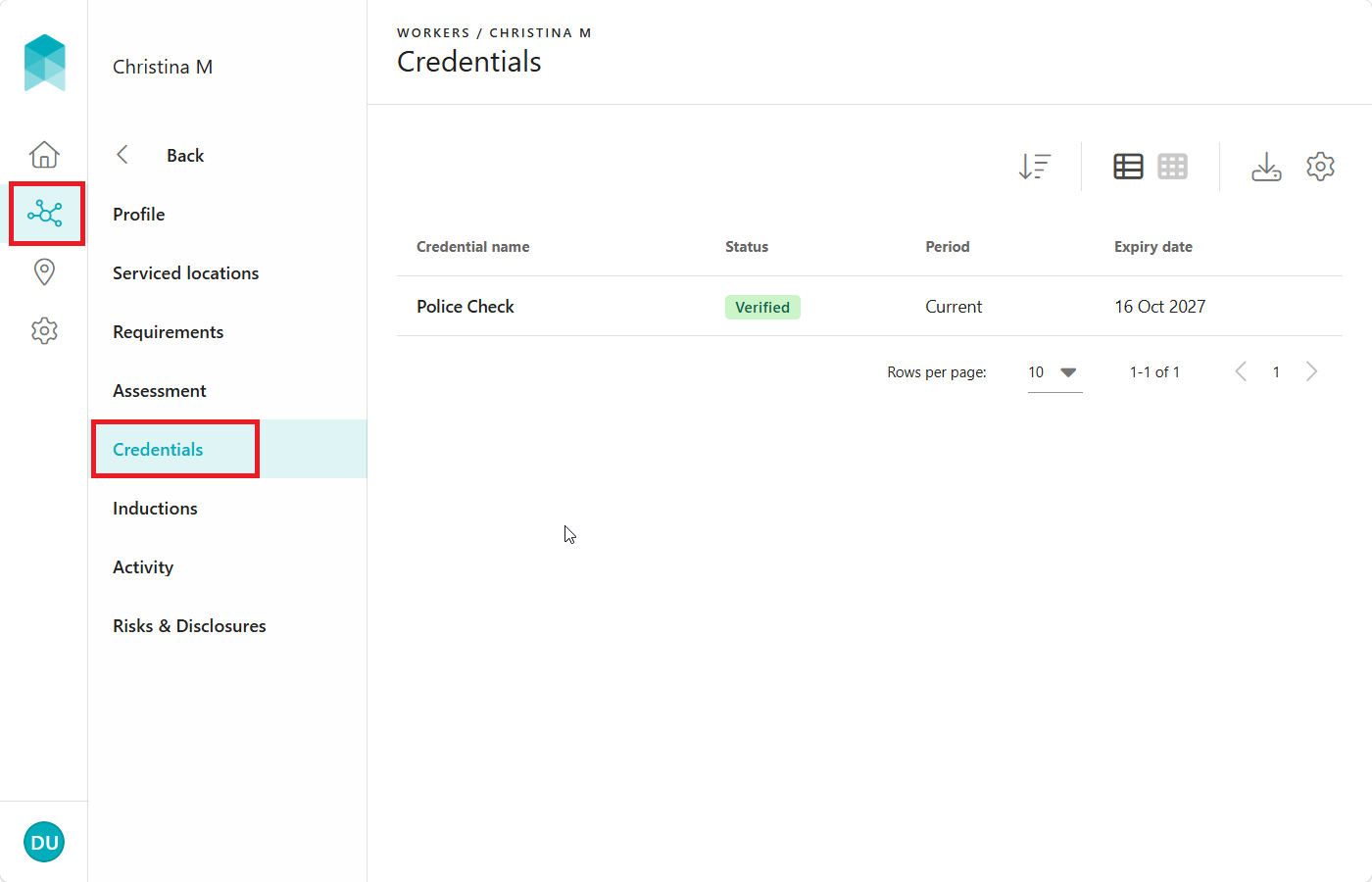
Click Credentials. The worker's credential(s) will be listed along with its corresponding status.
-
Click a credential to view the uploaded file and its details.
Credential Status Definitions:
- Expired: The credential is no longer current.
- Required: A credential is required to be uploaded.
- Not accepted: The credential does not meet verification guidelines and has been marked as not accepted by the iPRO Compliance Team. A replacement that meets the guidelines is required to be uploaded.
- Verified: The credential has been verified successfully.
- Submitted: The credential is not a compliance requirement for the connected client. Submitted credentials are not reviewed by the iPRO Compliance Team, and do not impact the worker's compliance status.